A big part of my approach to learning design is to use stories and scenarios to help people learn how to apply their knowledge and skills. Humans are hard-wired for stories – they enable us to make an emotional connection with the subject matter, which in turn sparks our affective memory.
Learning stories – or scenarios – help people apply their knowledge to a situation that feels ‘real’ to learners. They’re simple enough to do in a classroom context – the facilitator tells a story, the group reflects or builds on the story with their own experiences, and in turn creates a rich learning experience for all involved.
It’s harder to do something similar in a digital context without getting into the develpment weeds. Cathy Moore’s approach to scenario design is great for creating rich, informative scenarios that resonate with learners, but you still need to create storyboards and spend several hours hunched over Captivate or Storyline (or the authoring tool of your choice) to create something viable. Not great for rapid development.
Articulate Rise, however, does have a scenario block that looks quite easy to use. I wasn’t able to test the scenario block much in my old job, so I thought it would be a nice idea to use my down time to play around with formats I found via Articulate’s user community.
I created a simple safeguarding scenario and storyboarded it out using Word
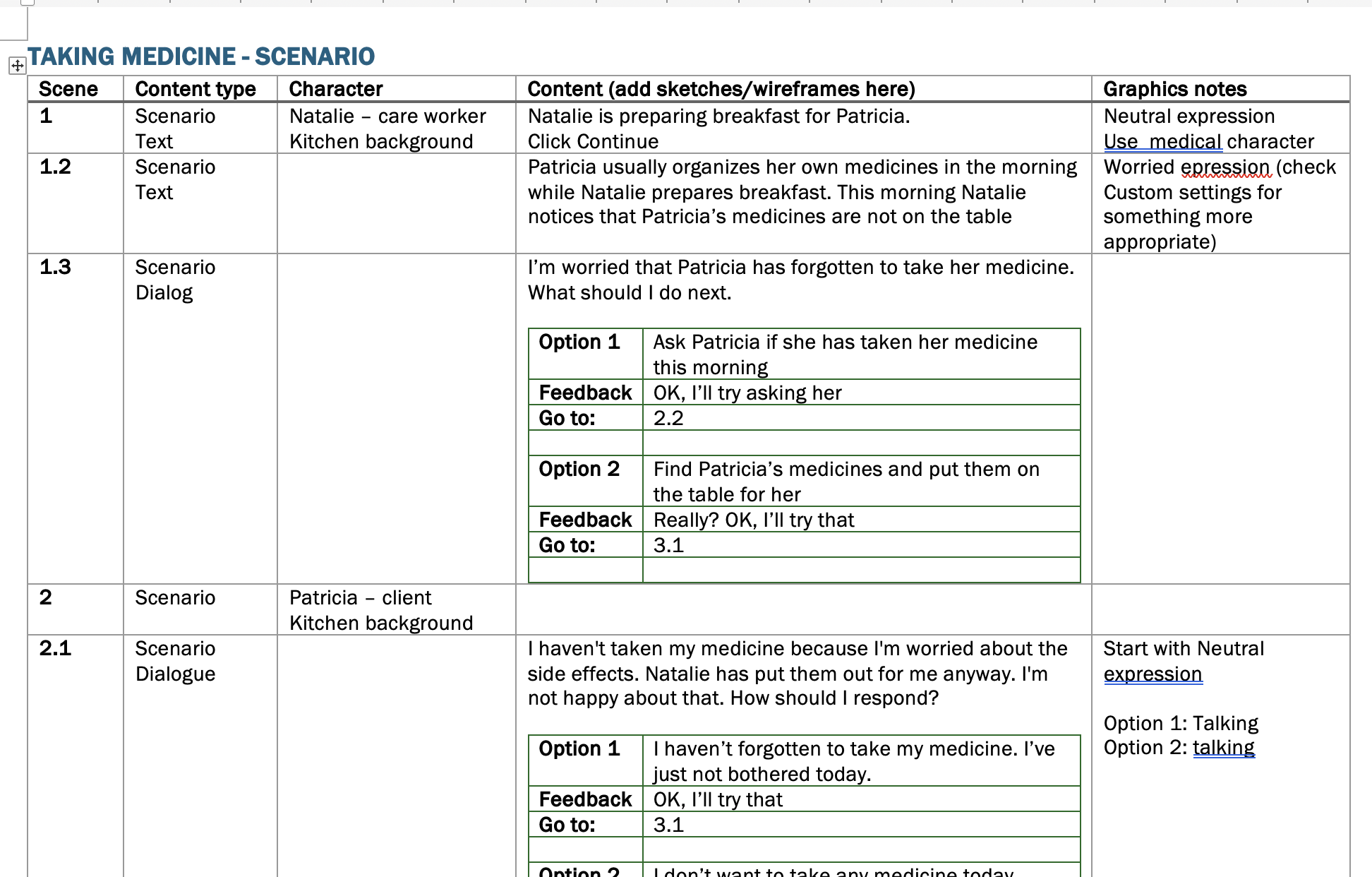
(I’ve tried with PowerPoint, but I just can’t get used to it – it makes a nice sketchbook for design ideas, but I prefer Word for bringing it all together).
So here’s part 1 -The Rise Scenario Block
Rise Scenario Block

Articulate Rise’s Scenario block is a tool that enables you to create a simple branching dialog using pre-built characters and backgrounds. It’s easy to use, with options for text or dialogue, depending on how you want to present information, but here are my gripes:
- You have to use Rise’s avatars and backgrounds – which are quite cheesy
- You can only have one person in each ‘scene’, which can get a bit confusing and long-winded
- You’re limited to 200 character phrases for dialogue, text boxes and feedback, which means that the treatment of any scenario is quite superficial
I was going to post all the different versions in one gigantic post, but that would be a bit overwhelming (for me and you). So I’ve decided to create a short series of daily posts concentrating on one approach at a time, along with my thoughts. Please feel free to comment here or on the review versions. I’d love to know what you think!
 Sarah Slade
You must be logged in to post a comment.